顯示具有 Lab 標籤的文章。 顯示所有文章

2010年11月22日 星期一

Lab 32 DOM

1. Open KompoZer
2. Based on the code as in

http://www.scottandrew.com/weblog/articles/dom_4 ,
write a code to generate the table of 9*9 products. (九九乘法表)

Hint: The javascript code should be enclosed by script tags.


Lab 31 Create Image using DOM

1. Open KompoZer
2. Hand code a javascript that loads an image from Internet based on
the DOM model.
3. Take a look at the sample code that shows how window.onload to load the image.
4. Use a button to load the image. Try how onclick works.


開啟網頁後會自動顯示圖片

開啟網頁後點擊按鈕

出現啦!!!

其實也不是很難,很興奮的給他按了很多下

2010年11月8日 星期一

Lab 30 navigation bar

1. 進入你的部落格,登入,選擇自訂
2. 新增小工具
3. 選取
HTML/JavaScript
4. 撰寫或貼上所需連結(範例)


Lab 29 Hand code a form

Hand code a HTML or use KompoZer to edit an HTML so that the webpage can send a request to Google like
http://maps.google.com/maps?q=24.9586,+121.24114

Use Form CGI that includes action, input, and submit.
Try a few different coordinates.


Lab 28 Lab Form and Action

"logic will get you from A to B - imagination will take you anywhere"

How to use Form to invoke a remote service through CGI.

1. Copy the search box of this search page,
inlcuding radio buttons, text input, and submit button.


2. Open your KompoZer HTML editor.


3. Open a new empty HTML file.


4. Paste the search box into this new file.

5. Use KompoZer to add a Form to this search box. Do not hand code the HTML. Just fill the blank in the Form dialog.

6. In the form dialog, set Action="http://google.com/search" and name of Form as "f" and method as "get"
(See Hint if it does not work.)


7. Save your file on your computer. Run your HTML by Firefox. What do you get?


  • 當method設定為get時,按下google搜尋,會跳到搜尋頁面。

8. Set method as "post"

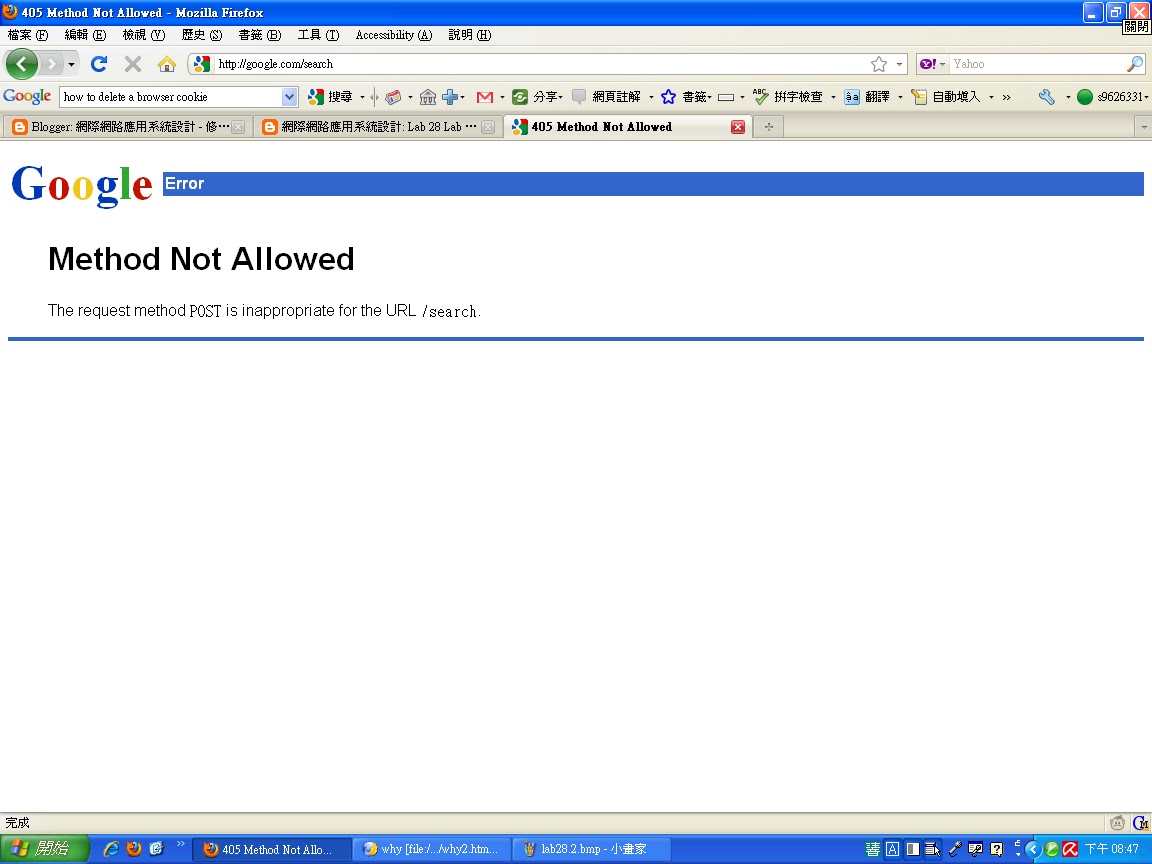
9. Run your HTML by Firefox. What do you get?


  •  當method設定為post時,按下google搜尋,不會跳到搜尋頁面。

2010年11月1日 星期一

Lab 27 Mash-Up 4 (Calendars)

建立你的行事曆,並與學校行事曆合併
Google日曆-中原大學行事曆-html版本<http://www.google.com/calendar/embed?src=sth4g0ns7lj48crs0gsm3ekuns%4...>
進入後按右下角+Google日曆即可訂閱

Lab 26 Mash-up 3 (Blogs)

部落格與相本的結合運用。透過部落格分享你的照片集,省去傳送大量照片的缺點,自由書寫照片中的故事。

Create a slide show of your album. Embed the album in your blog.

Lab 25 Mash-up 2 (Maps)


For housing services, compare the following two websites
http://www.housingmaps.com

http://www.7house.com.tw

List the differences in the user interface design and usability. Make comments
by your use experiences.


Lab 24 Mash-up 1 (Publish)

1. Upload a sample ppt to Google Docs.
2. Publish the uploaded ppt.
3. Embed the online ppt to your blog.

The reason to do so is that the readers don't have to have ppt to view your presentation. For example, some users work with Linux or Unix, and others work with MacOS. They will appreciate you for doing so.


2010年10月18日 星期一

Lab 21 Making images accessible

使用前

使用後(圖片變文字)

Lab 20 More on HTML

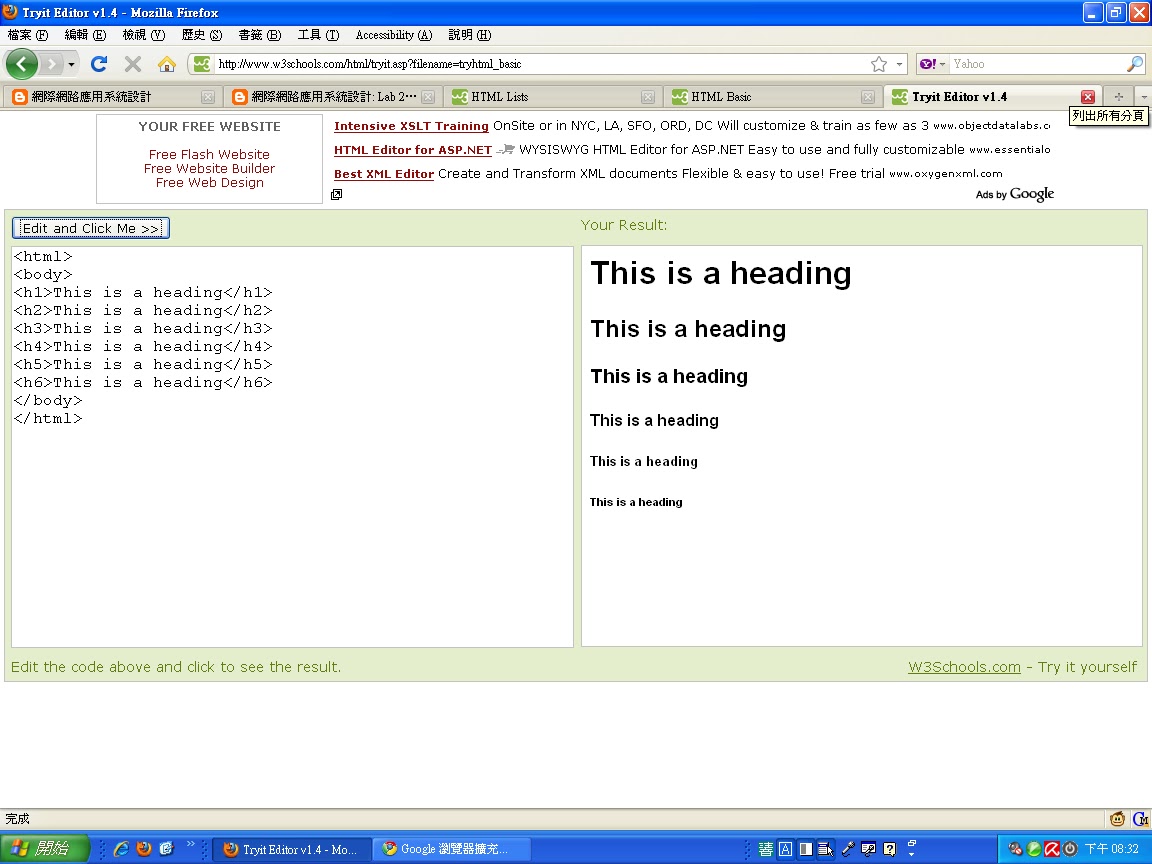
Headings:
 標題文字大小控制
<h1>~<h6>字體大小由大至小


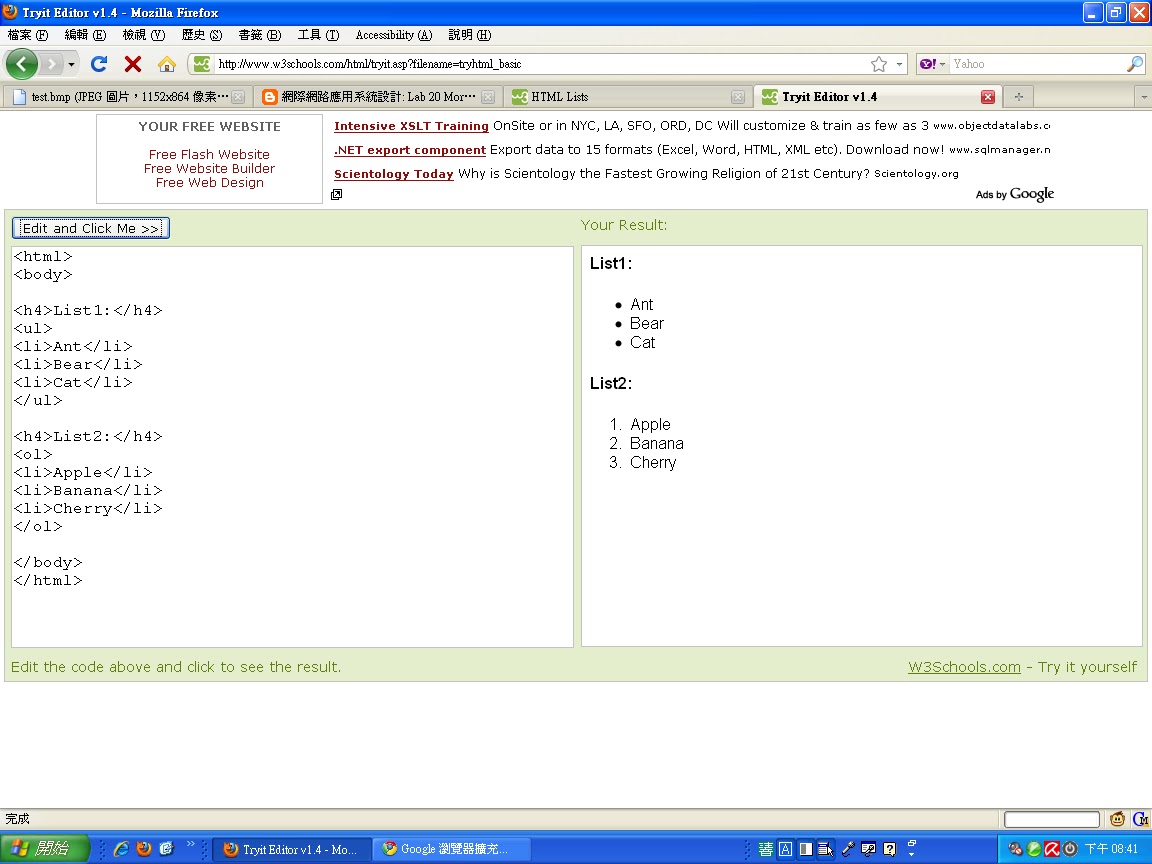
Lists:
用<ul></ul>標籤可以得到用●作為清單選項
 用<ol></ol>標籤可以得到數字作為清單選項

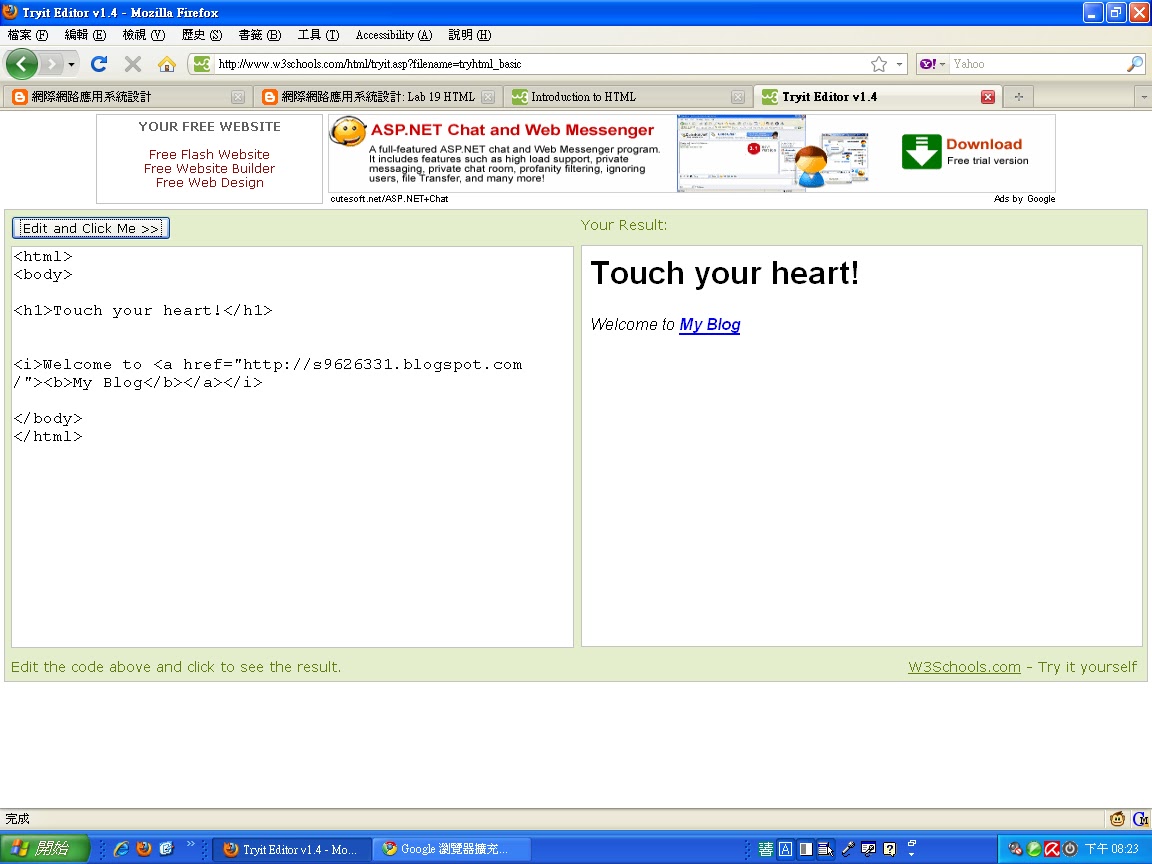
Lab 19 HTML

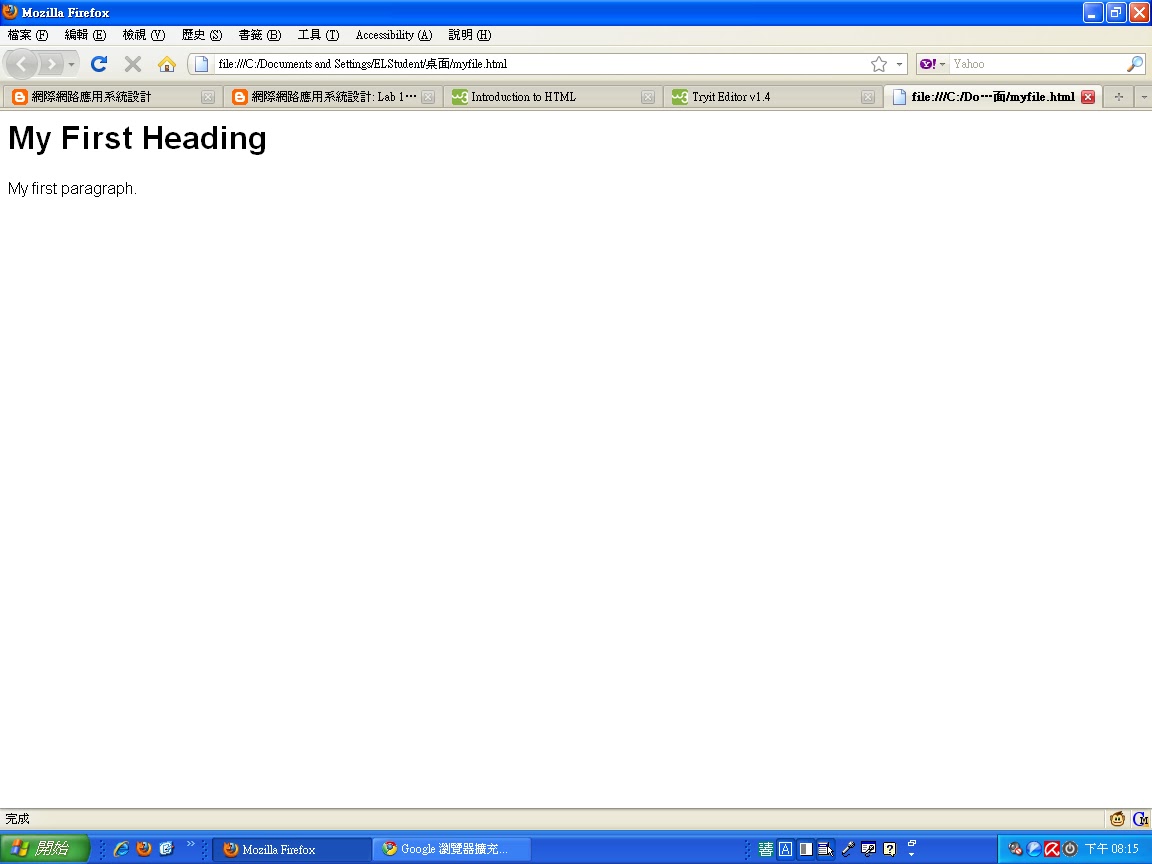
1. Using Microsoft Notepad, Copy and paste the HTML example at Introduction to HTML
2. Save the file as myfile.html
3. Open the file using Firefox.


New editor
4. Enter http://www.w3schools.com/html/tryit.asp?filename=tryhtml_basic
5. Copy and paste the HTML example at Introduction to HTML
6. Verify your results on the screen.


Lab 18 Comparing browsers

Install Google Browser Google Chrome and Firefox 3.0, try a few websites and compare their performance. For example, youtube, blogspot, msn, and yahoo.

  • google 瀏覽器跑網頁的速度比火狐快許多 
  • 兩種瀏覽器皆有多種支援外掛擴充程式
  • 網址列google 瀏覽器沒有顯示http://而火狐反之
  • 畫面來說 google 瀏覽器較火狐精簡,火狐的版面與IE比較相近

2010年10月11日 星期一

Lab 16: Accessibility in GreaseMonkey

Google Search Keys Numbers the results in a Google search page and you can type the corresponding number to follow the link.


Google Access Keys Enables navigation through Google search results.

Lab 15 Clean Language

1.儲存Clean Language至桌面
2.用UltraEdit-32開啟檔案修改想要過濾的文字
3.開啟瀏覽器→檔案→開啟檔案→安裝
4.過濾TMD

Lab 14 Greasemonkey

Install Greasemonkey 0.8.


 Cookie Monster - Show cookie contents: Shows the contents of the current page cookie. Just mouse over the "Cookie" text on the bottom left. Check what cookies http://www.nytimes.com writes to you. Does our class blog use cookie or not? Does Google use cookie? Yes!


2010年10月4日 星期一

Lab 13 Google Mars

1. Observe how Google Mars loads the map and does the zooming. Is the data downloaded once for all or retrieved on demand?

 依照使用者的檢索需求下載地圖,如此不僅不會因為下載全部地圖而浪費時間,還可以立即更新地圖。

2. 這個服務的特色有哪些?

一般民眾透過這項服務輕易地瀏覽火星的地貌,自行探索火星。